 Flaguu
Creator Documentation
Tutorials & Guides
Creator Documentation
A description of the controls available inside the Flaguu creator, grouped by where you can find them, as well as additional tips when setting certain settings.
| Getting Started | Game setup, creator design, and base rules. |
|---|---|
| Settings | Rules & Toggles: features, spectators, scoring, veto, key links, data. |
| Teams & Timeline | Teams, groups, transport options, timeline events, rounds. |
| Decks & Cards | The four deck types, deck limits, rewards, card effects, shop limits. |
| Map | Boundaries, territories, flags, challenge sites, Tag zones, shapes, imports. |
| Game-Mode Specific | Capture the Flag, Challenge Pins, Tag, Hide & Seek, Claimed Territories. |
| Saving & Sharing | Syncing, collaborators, exporting, publishing. |
Getting Started
Building games from the ground up, how to choose your game type and set your modules.
Game Library
When you create a game, it is stored on the server. Your game library will show all the games you own, as well as the games that have been shared with you.
- My Games
- Shared With Me: games shared with you, after you accept a request for collaboration.
- Invitations: requests for collaboration awaiting your response.
Each row shows the game's deck count, card count and team count. Press and hold a game you own to Share, Rename, Make a Copy or Delete it. On a game someone shared with you, you can Make a Copy or Leave.
Flaguu accounts have 20 save game slots available to them. Creating and accepting invitations both take up a slot. You can export, then delete games to free up slots, and import your work back later.
Game Creation & Game Types
When you create a new game, you are required to choose a game type. This decision is permanent, and cannot be changed later. The Flaguu creator works off a system of modules. Modules can be enabled or disabled, and give features to allow you to customize your game for your needs. The preset games are just a fixed set of modules. You may not have to use every module in a preset, but the presets are recommended, as the collection of modules chosen is tailored to provide the best game design. A description of the presets and module types is available below.
Six Game Types
| Capture the Flag | Flags, scoring zones, transportation and tags. Level up with shop decks, or items to confuse opponents. |
|---|---|
| Capture Territories | Teams claim territories with coins or challenges to earn points. |
| Tag | Tag the Holder to take the item, then keep it or pass it on. Win conditions vary: longest hold, longest single hold, most points, survive the timer, reach a goal zone, and more. |
| Hide & Seek | One team hides. Seekers ask questions to narrow the map down and find them, with automatic map chops. |
| Manhunt | No coins or economy. Cards, if desired, the map, and interval location pings or always on. |
| Modular | Select from a variety of modules to create your own unique game experience. |
Modules
Every game type is built from the same modules. Presets enable a fixed set, while Modular allows you to choose your own.
| Flags | Place flags on the map and set scoring zones. Players pick them up and carry them around the map to score points, or receive other rewards. Flags can be set to respawn, or be one-time pickups. Flags can also be set to be team-specific, so only certain teams can pick them up. |
|---|---|
| Territories | Territories, zones and shapes drawn on the map. Usually a prerequisite for other modules, and doesn't affect gameplay. |
| Cards | Challenge, item and shop decks. When playing hide & seek, hider decks are available. Allows you to set any setting, including reward, frequency, and duration, plus can give any team or group unique abilities. |
| Transportation | Transport options and journey tracking. |
| Location | Group GPS sharing and live player locations. |
| Coins | Coins economy: balances, draw costs, prices and rewards. This module is usually a dependency for other modules, if using cards. |
| Static Tags | Allows you to tag other teams in-app. Freezes opposing players and can take their coins, capture-the-flag style. |
| Transaction History | Keeps a log of all transactions during the game for players to view in real-time, with the option to share with other teams. |
| Scoreboard | Scoreboard showing team and player scores. Modules that affect scoring will update the scoreboard in real-time. Required to have a winner based on a numerical score. |
| Claimed Territories | Map territories teams can claim and own to score points. |
| Challenge Pins | Decks attached to territories or pins across the map, allowing you to set "challenge boards" or other fixed pins. Can also be used to make game-wide "flops". |
| Tag | Adds item passing. Holders carry an item, and Chasers tag a Holder to take it, swapping roles. Choose whether players score by keeping the item or lose points until they pass it on, as in hot potato. Hide & Seek is built on Tag. |
Teams, groups and timeline are required for every game.
Navigating the Editor Tabs
| Settings | Game-wide rules, spectators and game-mode settings. Available in every game. |
|---|---|
| Decks | Decks, cards and, in Hide & Seek, the question menu. Requires Cards. |
| Setup | Teams, groups, transport options and the timeline. Available in every game. |
| Map | Boundaries, territories, flags and zones. Requires Flags, Territories or Claimed Territories. |
Settings
How to set the rules that apply to your whole game.
Project Info
You can edit the game's Name here. Game Type is set at creation and cannot be changed. Read-only counts of decks, cards, teams and map features are also shown.
At least one team is required for players to join. Without one, the editor warns: No teams, nobody can join. Add teams on the Setup tab.
Game Features
- Hide Other Teams' Financials: hides each team's coin balance from other teams. The Coins module is required.
- Authorize by Team: when on, usernames you add to a team can join any of its groups. When off, you add usernames to each group. Switching clears the roster that no longer applies, after asking you first.
- Show Member Names in Groups: when on, players see who is in each group. When off, they see only a headcount, and other players' usernames are never sent to their device. This applies to spectators too. Your own name always shows.
- Share Transaction History: lets players tap another team to read its history. The Transaction History module is required.
Spectators
Spectators let approved people follow your game in a read-only view. When Enable Spectators is on, they join with the normal game code. When off, nobody can spectate. Spectators cannot change anything. You approve spectators by username on the Host Game screen after hosting.
Choose which panels spectators see:
- Map: territories, flags, pins and zones. Adds a Player Locations toggle for every player's real-time position, which requires the Location module.
- Scoreboard: team standings.
- Coins: each group's real-time balance.
- Inventory: each group's items.
- Active Effects: card effects active on each group.
- Active Challenges: each group's challenge cards.
- Transaction History: every group's full transaction log.
Timeline and round progress are always shown.
Scoring & Veto
Scores Start After (min)
0 to 120, default 0. No flag scores, territory points or Tag hold time count until this many minutes after the game starts.
Veto Disables
Choose what players cannot do while serving a veto penalty:
- Drawing challenges: challenge and hide deck draws. On by default.
- Starting transport: starting a journey. The Transportation module is required. On by default.
- Drawing items / shop: item draws and shop entry. Off by default.
- Using card effects: playing effects from the inventory. Off by default.
The penalty length is set per deck as Veto Penalty (min). A penalty above 0 on at least one deck is required for these toggles to apply. Decks with a penalty of 0 can be vetoed freely.
Key Links
Give players one-tap access to rules documents, printed maps, spreadsheets or
anything else outside the app. Each link has a Label and a
URL, and appears as a large button on the game's settings page in-app.
A bare address like flaguu.com is completed to https://.
An http or https URL is required; the editor flags anything else.
Data
- Import from File: loads a
.jsongame file over the open project. - Clear All Data: empties decks, teams, transportation, timeline and map, after asking for confirmation. Game type, modules, name and links are kept.
Teams & Timeline
How to set up teams, groups, transportation and the timeline of events for your game.
Teams
- Name
- Color: chosen from a fixed palette, and used for the team's dots, territories, flags and standings.
- Starting Coins: 0 to 9999, in steps of 10. Every group in the team starts with this balance.
A preview shows the team as players will see it. With Authorize by Team on, the team has a Team Authorized Users list, allowing those usernames to join any of its groups.
Groups
Groups are the units that play within a team. Each group has its own coins, inventory, active challenges and position, while points belong to the team.
Each group has a Name and an Authorized Users list of usernames allowed to join it. With Authorize by Team on, this list moves to the team.
Transportation Options
Each option is a way of getting around, and sets what players pay for a journey:
- Name and Icon: 28 icons, covering buses, trams, trains, ferries, planes, cars, bikes, scooters and walking.
- Cost Type: Per Mile, Per Minute or Fixed Cost.
- Cost Value: the rate, in coins.
Players see the cost as "$0.50/mile" or "$2.00".
Timeline
The gear icon holds the timeline's Name, Start Date and Start Time. Events are listed in the order they trigger.
Game Start and Game End are created automatically. Their name and type cannot be changed, and they cannot be deleted. Game End's trigger time sets the length of the game, and defaults to one hour.
All other events trigger a set number of hours, minutes and seconds after the start, and take an Affected Teams list. Leave the list empty to affect every team.
Eight Event Types
| Game Start | Marks the start of the timeline. Created automatically. |
|---|---|
| Game End | Ends the game automatically at its trigger time. Created automatically. |
| Coin Multiplier | Multiplies coins earned while active. Accepts decimals, such as 1.5. |
| Game Pause | Stops play for a set time, with the option to lock players in place. |
| Announcement | Shows your message to the affected teams. |
| Checkpoint | Marks a point on the timeline. Has no properties of its own. |
| Special Challenge | Marks something you are running yourself. Works like Checkpoint. |
| Round End | Ends the round for its Affected Teams and applies your chosen resets. |
Coin Multiplier, Announcement, Checkpoint and Special Challenge take an Active Time: Until game end (default), or a number of Minutes, from 5.
Game Pause & Locked Locations
A Game Pause stops play for its Pause Duration, in minutes.
With Lock location on, each player's position is recorded when the pause begins. When the timer ends, players must return to that spot and confirm to resume, so nobody gains ground during the pause. Resume radius (m) sets how close they must be: 5 to 500, default 25.
Rounds & Round End Resets
Round End events divide the game into rounds. Two events make three rounds, and a game with none is one round.
Each Round End applies its own resets to every affected team:
- Reset Coins: returns each team to its starting balance.
- Reset Items: clears every inventory.
- Reset Challenges: discards in-hand challenges. Open wagers fail instead, and their stake share is returned.
- Drop All Flags: returns every flag to its spawn point.
- Reset Effects
A Round End event is required for Challenge Pins re-rolling and Hide & Seek hider rotation, which warn without one. Shop item purchase caps and per-round question limits also reset each round; without a Round End event, they apply to the whole game.
Decks & Cards
Building the decks your players draw from, and writing the cards inside them.
Four Deck Types
The Cards module is required for decks. Each deck is one of four types.
| Deck Type | What It Is | How It Plays Out |
|---|---|---|
| Challenge Deck | Players draw a random challenge and complete it for a reward. | Pay draw cost → draw → complete → earn |
| Item Deck | Players draw a random item with an effect. | Pay draw cost → see item → pay item price → get effect |
| Shop | Players browse or draw items and buy them with coins. | Pay entry → browse or draw → buy |
| Hide Deck | Hide & Seek only. Hiders draw from it. | Hiding → draw → hold to end → get effect |
Challenge cards pay coins when completed. Item, shop and hide cards cost coins to use. The deck editor shows this as Coin Mode: Rewards or Coin Mode: Costs.
Deck Settings
- Name, Type and Icon
- Draw Cost: the price of one draw. Shops call it Entry Fee. 0 means free. The Coins module is required.
- Draw Cooldown (min): 0 to 120. 0 means no wait between draws.
- Max Active Challenges (challenge decks) or Max Held Items (other decks): 0 to 99. 0 means unlimited.
- Veto Penalty (min): challenge decks only. 0 to 120. Vetoing a card from this deck blocks the group from whatever Settings → Veto disables, for this long.
- Allow Browsing: shops with an entry fee. On shows the items before paying, so players know what the fee buys. Off hides prices until the fee is paid.
- Pin Only: challenge decks only. The Challenge Pins module is required. Hides the deck from the draw menu, so players reach its cards only by traveling to a pin that deals from it.
- Available to: the Tag module is required. In Tag, the Holder carries the item, and tagging the Holder passes it to the tagger. Set to Anyone, Holder only or Non-holders only. Use a Holder only deck to give the Holder curses to play against the Chasers.
Writing a Card
Every card requires a Card Title, a Description and a Category: Travel, Social, Creative, Fitness, Learning or Adventure.
Press and hold a card to Duplicate, Duplicate Multiple... (up to 100 copies) or Delete it.
Flaguu has no rarity setting. Use duplicates to weight a deck instead: a card that appears three times is three times as likely to be drawn.
Three Reward Types
Challenge cards take one Reward: Coins, Wager or Steal. Choosing one clears the others. The Coins module is required for wagers and steals. Without it, these cards play as plain challenges.
Coins
A fixed Coin Reward, from −9999 to 9999. Use a negative value to take coins away.
Wager
Players stake their own coins when they draw, then either complete or fail the challenge. A group can hold one open wager at a time. Open wagers are settled at a Round End that resets challenges, or when the game ends.
- Win Multiplier: 1 to 99, decimals allowed, default 2. Completing pays the stake times this.
- Loss on Fail (%): default 50. Failing forfeits this share of the stake and returns the rest.
- Min Stake: 0 means no minimum. Groups must hold at least this much to draw the card.
- Max Stake (% of coins) and Max Stake (coins): 0 means no cap. If both are set, the lower one applies.
Steal
Players pick a percentage. That share of their balance and of a chosen opponent's balance is locked until the challenge resolves, so the two locks can differ in size.
- Min Lock (%) and Max Lock (%): 1 to 100, defaults 10 and 50.
- On Fail: Transfer gives your locked coins to the opponent. Forfeit removes them, and the opponent only gets theirs back.
Card Effects
Effects are optional, and a card can carry both an effect and a reward.
| Effect | What It Does | What You Set |
|---|---|---|
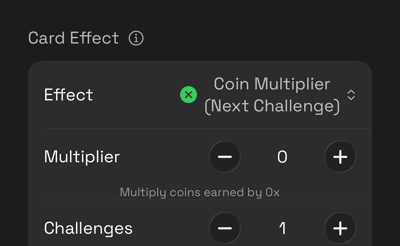
| Coin Multiplier (Next Challenge) | Multiplies coins earned from upcoming challenges. | Multiplier 2–99, and how many challenges it covers |
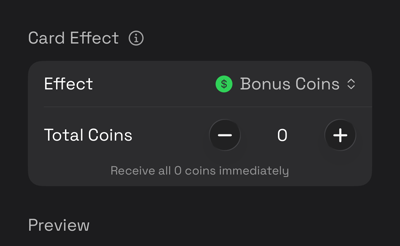
| Bonus Coins | Pays coins immediately. | Total Coins |
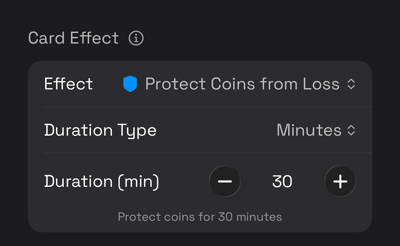
| Protect Coins from Loss | Blocks coin losses. | Minutes or Attempts |
| Steal Coins | Takes coins from an opponent. | Fixed Amount or Percentage |
| Draw Extra Card | Draws extra cards immediately. | Total Cards |
| Force Opponent to Discard | Makes an opponent discard items, oldest first. | Cards to Discard |
| Steal Random Card | Takes random items from an opponent. | Cards to Steal |
| Skip Current Challenge | Skips the active challenge. | Challenges to Skip |
| Immune to Negative Effects | Blocks incoming negative effects. | Minutes or Attempts |
| Bonus for Entire Team | Pays the full amount to every group on the team. | Coins Per Group |
| Hide Your Score | Hides your score from other teams. | Duration (min) |
| Hide Your Location | Hides your position on the map. | Duration (min) |
| Freeze Opponent | Freezes a group in place. | Freeze Duration (min), and whether they swipe to start it |
| Generic Positive Effect | Adds any benefit, described in the card text. | Duration, Target Scope |
| Generic Negative Effect | Adds any penalty, described in the card text. | Duration, Target Scope |
| Update Hidden Location | Forces a group to update their last known location, revealing Hiders. | Nothing |
| Bonus Hiding Time | Hide decks only. Keep it in hand to add its minutes when the game ends. It takes a card slot, and discarding it or losing it to another team loses the minutes. | Bonus Minutes |
- Duration Type: One Time, Challenges, Minutes or Attempts.
- Target Scope: generic effects only. 1 Group or Whole Team.
- Active Time (min): how long the card stays in the player's Active Effects list.
Use the generic effects for house rules Flaguu does not track. The effect appears in Active Effects with your text and a timer, and players enforce it themselves.
Each effect adds its own controls to the card editor:
-
Coin Multiplier (Next Challenge) -
Bonus Coins -
Protect Coins from Loss -
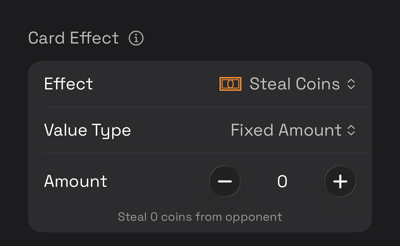
Steal Coins -
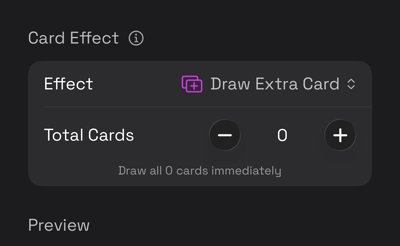
Draw Extra Card -
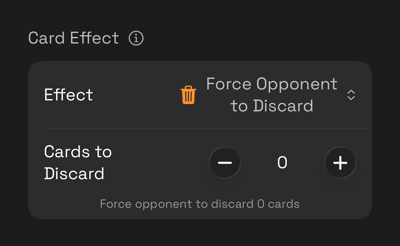
Force Opponent to Discard -
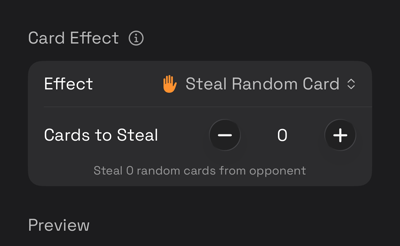
Steal Random Card -
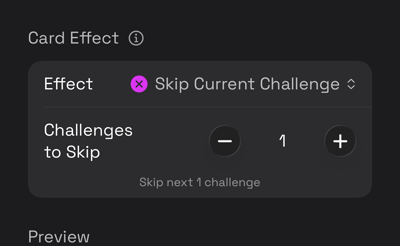
Skip Current Challenge -
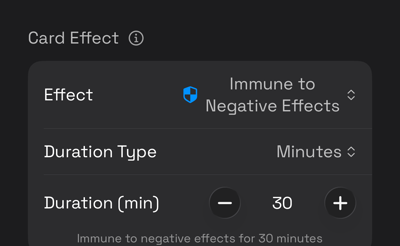
Immune to Negative Effects -
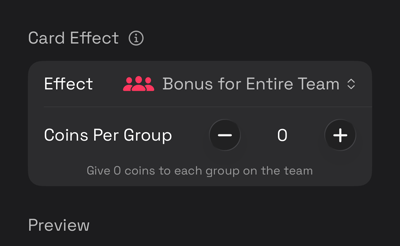
Bonus for Entire Team -
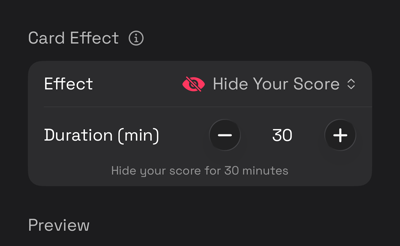
Hide Your Score -
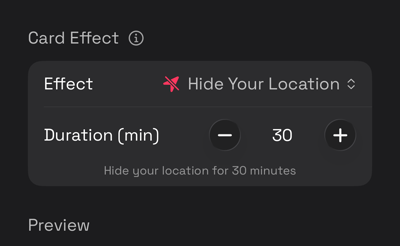
Hide Your Location -
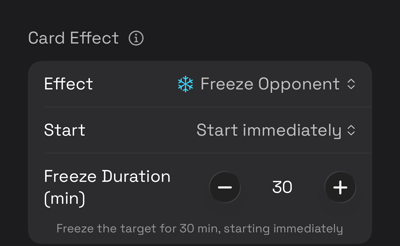
Freeze Opponent -
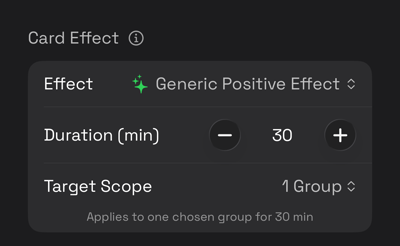
Generic Positive Effect -
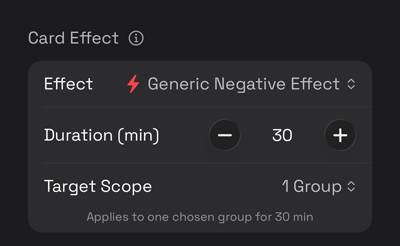
Generic Negative Effect -
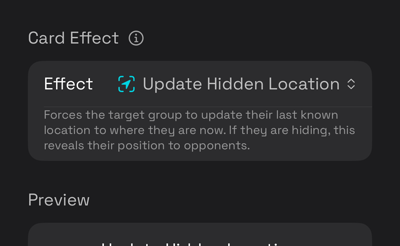
Update Hidden Location -
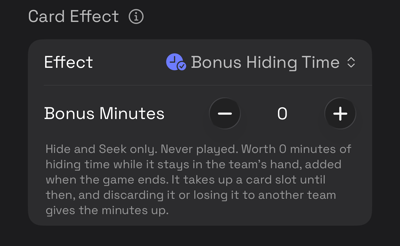
Bonus Hiding Time
Shop Purchase Limits
- Max Purchases: 0 to 99. 0 means unlimited.
- Resets: Per Entry (each time a group enters the shop), Per Round (at every Round End) or Per Game (never).
Limits are counted per group, whichever phone the group uses.
Map
How to build your game board, which requires the Flags, Territories or Claimed Territories module.
Finding Your City
Search Location finds a place by name and moves the map there. The location button re-centers the map on you.
To edit something already on the map, tap Select Element to Edit, then tap the element.
Game Boundary
Set Game Boundary takes two opposite corners, and the box between them is the board. Every game has one, whichever modules are on.
Players are not penalized for leaving the boundary. Hide & Seek uses it to clip map chops. Without one, Flaguu fits a default square around everything you have drawn, which is usually larger than intended, so set a boundary for accurate map chops.
Clear Game Boundary removes it. Redraw Game Boundary replaces it.
Territories & Zones
Draw a Neutral Zone, or a zone in a team's color. Tap around the edge, and the shape closes when you finish.
Points snap to the vertices of neighboring territories, so shared borders line up exactly with no gaps. The map confirms each snap.
- Merge Territories: combines two or more territories. A shared edge is required. The result keeps the first selected territory's team, color, name and settings.
- Erase Territory
Select a territory to set its Basic Info (name and description), Color and Icon.
Claimable Territories
Claimable Territory draws an unclaimed zone for teams to fight over. Select it and turn on Claimable to configure it.
- Claim by: Button (free), Pay fixed, Pay highest or Challenge. The Coins module is required for both pay methods.
- Cost (coins): the pay-fixed price.
- Minimum bid (coins): the pay-highest floor.
- Challenge title and Challenge description: a standalone challenge for the challenge method, separate from your decks.
- Points when owned: pays the owning team. Scoreboard is required.
- Starting owner: a team, or Unclaimed.
- Allow change hands: lets teams take territories owned by others.
- Stack deposits: when on, payments add up and the highest total controls the territory. When off, each bid must beat the current top bid alone. Pay highest with change hands on is required.
- Lock when claimed: makes the first claim permanent, overriding change hands.
Modify Territories Only From Inside, a game-wide setting on the Settings tab, requires players to stand inside a territory to change its owner.
Flags & Scoring Zones
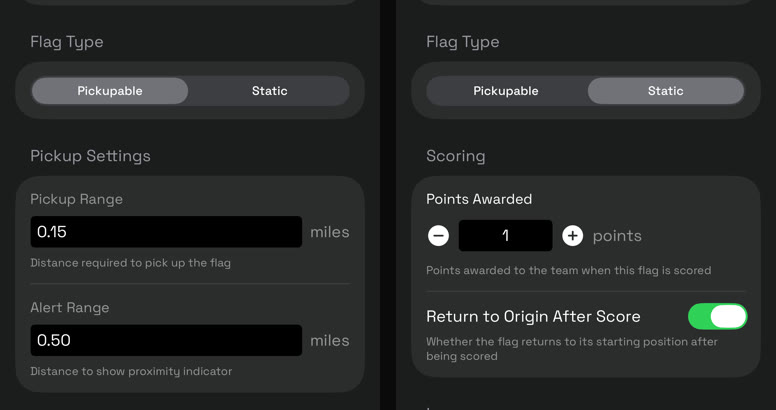
Place Flag asks for a Flag Type, Pickupable or Static, then the owning team. Teams capture the other side's flags. Static flags have no pickup settings.
- Pickup Range: how close, in miles, players must be to take it.
- Alert Range: the distance, in miles, at which the proximity indicator appears.
- Points Awarded: the team's score for bringing it in.
- Returns to its starting position after being scored.
Scoring zones are territories. Select one, turn on Scoring Zone, then set Scoring Zone For Team to one team, or Any Team (Both) for a shared zone. A territory cannot be both a scoring zone and claimable.
Challenge Sites
Challenge sites deal challenges when a team arrives. A site can be a pin or a territory, which only changes how arrival is measured. A challenge deck is required.
Select the pin or territory and turn on Deals challenges.
- Deck: the source deck. Sites use their own shuffle, so a group's normal deck is untouched.
- Challenges per round: 1 to 10, default 3, capped by the deck's card count.
- Unlock by: Reach the pin, Enter the region or Either one. A territory site is its own region.
- Arrive within: how close, in meters, counts as reaching a pin. Default 50.
- Zone: a companion territory. A zone is required to unlock by region, or to start challenges only inside a zone.
- Start challenges: Anywhere, once visited, Only at the pin or Only inside a zone. This limits starting, not finishing, so players can take a challenge at the site and complete it elsewhere.
- Refresh when completed: when on, a challenge is replaced as soon as it is completed, vetoed or failed. Off by default.
Tag Zones
In Tag, the Holder carries the item, and a tag passes it on. Zones change where that can happen. Select a territory and set its Role:
- None
- Hiding (holder safe): the Holder cannot be tagged inside.
- Safe (no tagging): nobody can be tagged inside.
- Out of bounds: a Holder inside is warned and their location is revealed.
- Scoring multiplier: multiplies hold points earned inside. Set Score × from 0 to 10 in steps of 0.5, default 2.
- Goal or Win zone: reaching it ends the game. Set Reachable By to Holder only or Any team. The Reach the goal win condition is required.
Shapes, Pins & Lines
Mark meeting points, routes, transit lines or familiar boundaries. These carry no rules. Set a Color and optional Label, then draw.
- Draw Shape: a freehand polygon.
- Draw Circle
- Place Pin: a plain pin. Hide & Seek questions ignore it; add measuring pins from the Decks tab.
- Draw Line
- Merge Shapes: a shared edge between two or more shapes is required.
Importing GeoJSON
Skip the tracing: council wards, neighborhoods, parks and transit fare zones are
often published as GeoJSON. Import GeoJSON Shapes reads a
.geojson file and previews its contents before importing.
Polygons can become a Neutral Zone, Claimable Territory or Shape, limited by your enabled modules. Points and lines import as pins and lines.
Game-Mode Specific
How to configure Capture the Flag, Challenge Pins, Tag, Hide & Seek and Claimed Territories, each shown in Settings once its module or game type is enabled.
Capture the Flag
Enable Tagging turns on freezing, and is on by default. Add as many Tag Modes as you like; players choose one when they tag someone.
Each mode has its own settings:
- Name and Icon
- Coin Loss Type: whether Coins Lost is a flat amount or a percent of the tagged group's total.
- Freeze Duration (min): 0 to 120. 0 means coin loss only.
- Require Verification: on, the tagged player swipes to start their freeze. Off, the freeze starts immediately.
- Drop Items on Tag: the tagged group drops what it is holding.
- Give Coins to Tagger: gives the tagger's team a share of the lost coins, set by Transfer %. Off, the coins are removed.
Use a second mode to vary cost: a cheap tag for spotting someone, and an expensive one for catching them.
Tagging in Play
Tags are made in real-time from the Game tab. Choose the group you have caught, then confirm with Tag. When a game has more than one Tag Mode, you pick the mode before confirming, so the cost of the tag is your choice at the moment you make it.
The tagged group is told immediately. With Require Verification on, that player swipes to start their own freeze, which keeps both sides honest about when it began.
Carrying & Scoring
Flag scoring is set per flag and per zone in the map editor.
In play, a flag is picked up from its callout on the map and scored by carrying it into a scoring zone.
Standing within range of the flag is required to take it. The callout offers Pick Up, and you swipe to confirm. Once you are inside a scoring zone the callout offers Score Here, confirmed the same way.
Challenge Pins
Challenge boards decides what happens when two teams reach the same place:
- One shared board: the first team to arrive sets the challenges, and a challenge taken by one team is removed for everyone. Choose this for a race.
- Same cards but separate boards by team: every team is offered the same challenges on its own board, so one team taking a card does not remove it for others.
- Fully separate boards with independent draws: each team draws its own challenges on arrival.
New challenges generate each round is on by default. Off, a site draws once on first arrival and keeps that set all game. Without Round End events there is only one round, so pins never re-roll; the settings screen warns you when this happens.
All phones on a team always show the same set.
Tag
How Tag Works
Tag is an item-passing game. 1 to 20 Holders carry an item, and Chasers tag a Holder to take it. The item passes to the Chaser, the two swap roles, and Immunity protects the new Holder. Hold to Win decides whether players want the item or want to pass it on.
Hold to Win
On, Holders are hunted and score while holding the item, as in keep-away or hide & seek. Off, holding costs the Holder, who wants to pass the item on, as in hot potato. Set this first, since every setting below works the opposite way depending on it.
Roles & Appearance
Number of Holders is 1 to 20. Rename both roles: Hider and Seeker by default, or Runner and Chaser, or It and Not-It. Choose a Holder Color, a Chaser Color and an icon for each. Holders show their icon in the Holder color; Chasers show their icon in their team color.
Reveal
Set for each side separately, controlling what that side can see of the other:
- Hidden: never revealed. A frozen dot marks where they took the item.
- Always visible: shows their position in real-time.
- Interval ping: reveals their position every Ping Every (sec), then freezes it until the next ping. 5 to 3600 seconds, default 300.
- Zone only: shows which territory they are in, not their exact position.
Tagging
- Require Proximity to Tag: allows tagging only a Holder you are near, within Tag Radius (m): 1 to 500, default 30. Off, you can tag any Holder from a list at any time.
- Immunity (sec): 0 to 600, default 120. After a tag passes the item, the new Holder cannot be tagged for this long. 0 means no immunity.
- Immunity Protects Previous Holder: extends immunity to the player who passed the item, preventing tag-backs.
Tags always require confirmation.
Scoring & Win Conditions
Points / Minute Held sets the points the Holder's team gains each minute, or loses in hot potato. Tiebreak chooses the condition that breaks a tie; set it to the main condition to break ties by team name. Only the fields your chosen condition uses are shown. If the game ends this way, the Host screen can undo it: Reopen Game adds time to the clock, and Reset Tag restores a Holder while keeping progress.
| Longest Total Hold | Most total time holding the item wins. |
|---|---|
| Longest Single Hold | Longest uninterrupted hold wins. |
| Territory at the End | The territory the Holder stands in when the game ends decides the winner. Territories drawn on the map are required. |
| Most Points | Highest team score wins. |
| Fewest Times Caught | Group tagged the fewest times wins. |
| Survive the Timer | Whoever holds the item, or in hot potato does not, when Survive For (min) runs out wins. Ends the whole game. |
| First to Target Score | First team to reach Target Score wins. Ends the whole game immediately. |
| Reach the Goal | Ends when a qualifying group reaches a Goal zone drawn on the map. |
Transit Payment
Transportation and Coins are required for transit payment. Charge Holder Surcharge adds Tag transit rules on top of the normal journey cost, multiplied by Holder Cost ×. Off, everyone pays the normal journey cost. Turn off Non-Holders Pay Transit so only Holders pay.
After Tag
Sets what each side receives when a tag passes the item, separately for Chaser gets and Hider gets (these labels stay fixed if you rename roles): a Freeze (min), where 0 means no freeze, and a Card to give: None, a custom card, or a card copied from your decks. By default, both are empty and nothing happens.
Starting Hider
Choose which groups start holding the item, or select none for a random draw each game. Selecting more than Number of Holders drops the oldest pick.
Hide & Seek
Hide & Seek uses the Tag item-passing mechanic, with the Hider as Holder. Reveal, role names, map colors and the win condition are set in Tag Settings. Only Longest Total Hold, Longest Single Hold and Territory at the End apply.
Rounds & Roles
Rotate Hider Each Round passes the item to the next team at every Round End. Off, one group hides all game. Choose which team hides first, or use the project's team order.
Hiding Period & Zone
- Hiding Period (min): default 15. Time the Hider has to reach their spot before their clock starts. It runs at the start and after every catch and rotation. Seekers cannot ask questions during it, but can still catch the Hider.
- Hiding Radius (m): default 300. How far the Hider may move from where the hiding period ended. A Seeker entering this circle starts the endgame.
- Announce the Endgame: off by default. On, Seekers are told when one of them enters the zone.
- Show the Zone at Endgame: off by default. On, the circle appears on the Seekers' map at endgame. Its size is always shown in Game Details.
A Hiding Period of 0 starts the clock immediately. A Hiding Radius of 0 removes the circle, the movement limit and the endgame.
Catching
Hider Confirms the Catch is on by default. Off, a Seeker's catch passes the item immediately, without the Hider's confirmation.
Questions
- Enable Questions: allows Seekers to ask the Hider questions to narrow down their location.
- Global Cooldown (sec): minimum time between any two questions from the same group, on top of each category's cooldown. 0 means category cooldowns only.
- Answering Pays the Hider: on by default. Off, coins and cards go to the asking team.
- Bank Rewards: off by default, so a reward must be claimed before the next answer. On, rewards accumulate and can be claimed any time.
- Max Hand Size: the most unused cards a group may hold. 0 means unlimited. Playing a card frees a slot.
Questions are written in the Decks tab.
Map Chops
Split the Map on Answers shades the area each answer rules out, creating "map chops". Off, Seekers narrow the map by hand.
Turn off Hunting Teams Share Splits so each Seeker team sees only its own chops. The Hider and spectators always see every chop. Chops are cleared when the item passes to a new Hider, since each describes the previous Hider's location.
Map Pins
Hider Can Add Missing Places is on by default. Allows the Hider to add a missing place while answering a question. The place is published with that answer, never before.
Adding Measuring Pins
Measuring pins are the real places that Matching, Measuring and Tentacles questions are measured against. With them on the map, Flaguu suggests the Hider's answer and chops the map automatically. Without them, the Hider answers by hand.
Place Types
Each question option is linked to a place type, and every question using that type shares the same pins. Twelve types are built in:
- Airport
- Transit Station
- Museum
- Library
- Movie Theater
- Hospital
- Park
- Zoo
- Aquarium
- Amusement Park
- Stadium
- University
New Place Type… adds your own, such as a brewery, with a Name, Search Phrase and Icon. Options set to Answered by hand use no pins.
Finding Places
In the Decks tab, open Questions, tap a category, then tap an option to open its places sheet. Add places three ways:
- Search by Name: finds a specific place.
- Find All Nearby: lists every place of that type. Add all places them in one tap.
- Drop by Hand: adds a place at the crosshair, for anything Apple Maps lacks.
Apple Maps searches only the visible map area, so pan or zoom to cover your whole play area. A place within 25 m of an existing pin is not added.
Missing Places
Hider Can Add Missing Places is on by default. While answering, the Hider taps Missing a …? and adds a place at the crosshair. The place counts toward the suggested answer and is published with that answer, never before.
Question Types
Questions are written in the Decks tab, since each costs coins and pays out cards like a deck. Six editable categories come built in with ready-made wording.
| Type | Seekers Ask | Hider Answers | Map Chop |
|---|---|---|---|
| Matching | Is your nearest place the same as my nearest place? | Yes / No | Yes keeps only the area nearest the Seekers' closest place; No removes it. |
| Measuring | Compared to me, are you closer to or further from place? | Closer / Further / About the same | Closer removes everywhere farther from every such place than the Seekers are; Further removes everywhere nearer to any. About the same removes nothing. |
| Thermometer | I just traveled (at least) distance. Am I hotter or colder? | Hotter / Colder | Removes the half of the map on the wrong side of the Seekers' journey. |
| Radar | Are you within distance of me? | Yes / No | Yes removes everything outside the circle; No removes the circle. |
| Tentacles | Of all the places within distance of me, which are you closest to? | Names one place | Keeps only the area nearest the named place. |
| Photos | Send a photo of something. | Sends it | None |
Photos
Category Settings
- Enabled: on by default. Off hides the category from Seekers without deleting it.
- Prompt: the wording, with
{a}and{b}for the Seeker's choices. - Options: the Seeker's dropdown, each option linked to a place type or Answered by hand. Tentacles calls this Place Types and adds Distances. Distances end in
kmormi; anything else is read as metres. - Answer Time (min): default 5, Photos 10. 0 means no deadline.
- Cooldown (min): default 0.
- Max Asks / Round: default 0, meaning unlimited.
- Ask Cost (coins): default 0, meaning free. Coins is required for ask costs.
- Allow Repeat Asks: on by default. Off, each option can be asked once per Hider, by any Seeker team.
- Repeat Pays (%): default 100. Scales the reward for repeat asks.
Long-press a category to duplicate or delete it. Add Category, Reset to Jet Lag Defaults and Remove All Categories manage the whole list.
Rewards
- Nothing
- Coins
- Random card: default for Photos.
- Draw X, pick Y: draws up to 10 and keeps up to 10. Default Draw 3, Pick 1 for Matching and Measuring, Draw 2, Pick 1 for Thermometer and Radar, and Draw 4, Pick 2 for Tentacles.
A deck is required for card rewards. Built-in categories name none, so tap Set a Deck for N Rewards to fix them all at once.
Asking & Answering
Asking
- Tap the question button on the map. Seekers can ask once the hiding period ends.
- Pick a category, then an option. A yellow dashed outline previews the chop.
- Check the cost, reward and answer time, then tap Ask.
A category that can't be asked yet shows why, such as On cooldown or Not enough coins. Answers appear under Your Questions in the Game tab.
Thermometer needs a journey first: pick a distance, tap Start Leg and travel. Ask unlocks when the leg is done. Cancel Leg and Restart Here reset it.
Answering
The Hider taps the waiting question to open it on the map. Flaguu measures straight-line distances from the Seekers' average position when they asked, then preselects its suggestion, marked app's answer. Pick another answer to override it; the button then reads Send my answer. Tap Send, or Send & Complete for photos.
Without matching pins or a readable distance, Flaguu can't suggest an answer, and the Hider answers by hand.
Rewards
With Answering Pays the Hider on, the default, the Hider earns the reward; off, the asking team does. Claim cards under Your Questions in the Game tab. With Bank Rewards off, the Hider must claim each reward before answering again.
Map Chops
Split the Map on Answers is on by default. Each answer shades the area it rules out in red. Measuring's "About the same", Photos and a Tentacles answer naming a place out of range draw no chop. A chop fully covered by a later one is hidden.
Claimed Territories
Modify Territories Only From Inside requires players to stand inside a territory to claim it. Off, territories can be claimed from anywhere, making claiming a spending race rather than a travel race.
How each territory is claimed, its cost, its payout and its starting owner are set in the map editor.